Visual Bukkit is very useful for prototyping or adding small features to your Minecraft server. I’ve already been able to make several improvements to my own Minecraft servers this way! That’s why I’d like to share some fun projects I’ve used.
No Torches? No problem!
This code will give you a torch when you are mining a block in the dark.
How does it work?
The purple block is activated when a player breaks a block.

We want to know which player broke the block. Therefore, we store that player’s location in a variable.
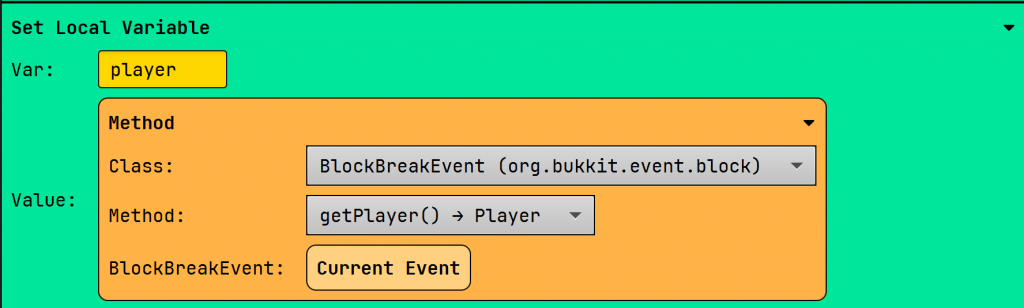
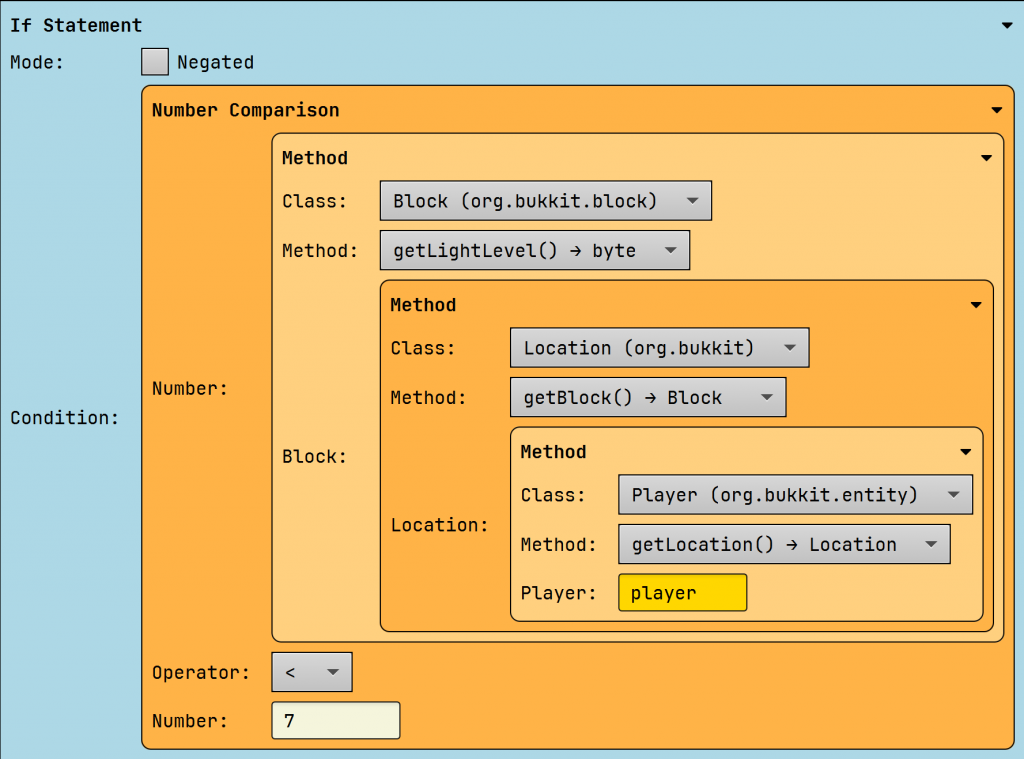
Next, we determine the player’s location. Knowing the player’s location allows us to find the block of the player. Each block has a certain light intensity. Generally, a light intensity below 7 indicates darkness.
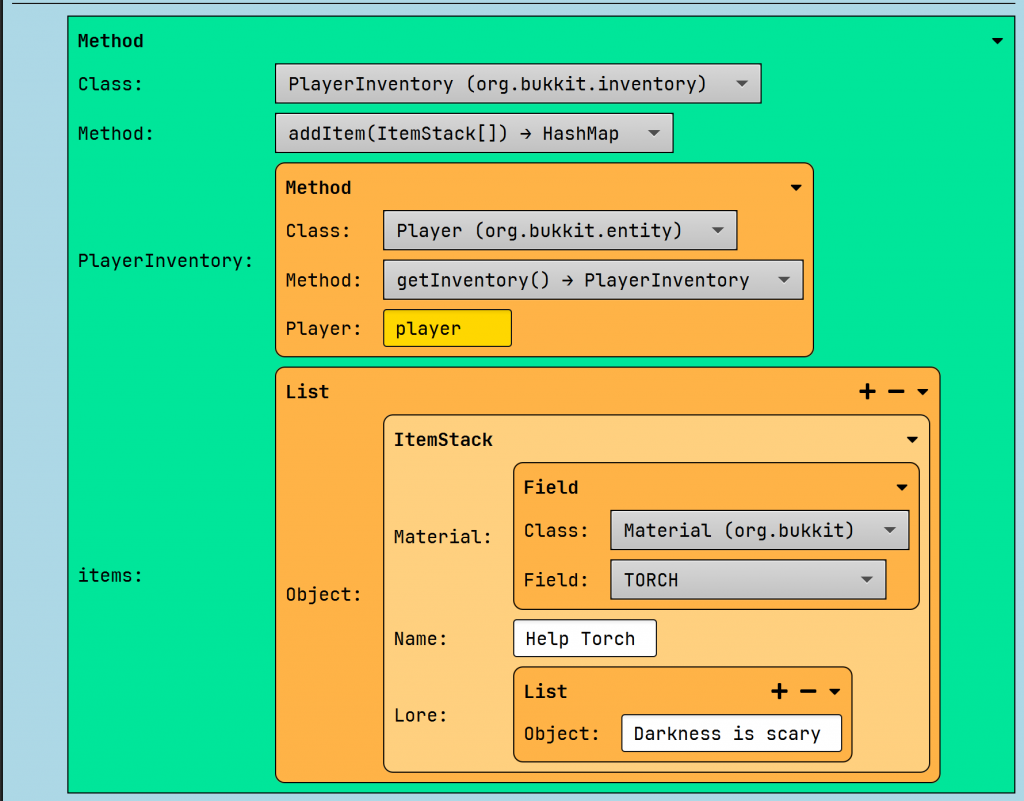
We give the player a torch by opening their inventory. This is where we add an item. In Bukkit/Spigot/Paper code, an item is called an itemstack.
Tree Capitator
Break the whole tree if one log breaks!
Explanation
We start with the event.

When the event fires, we determine which block has been broken.
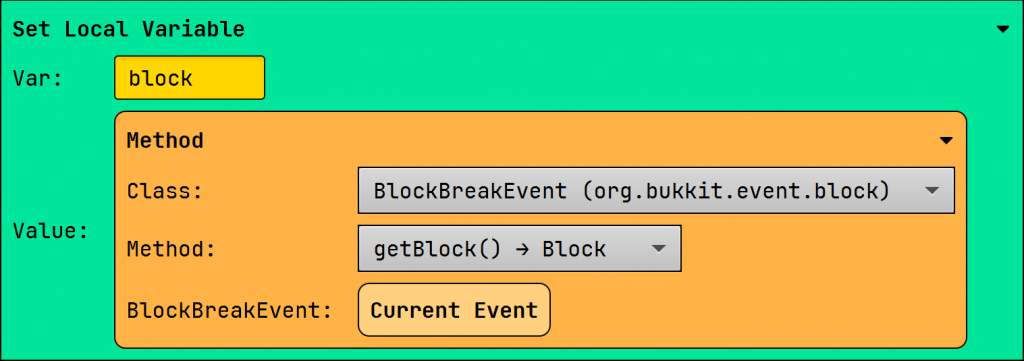
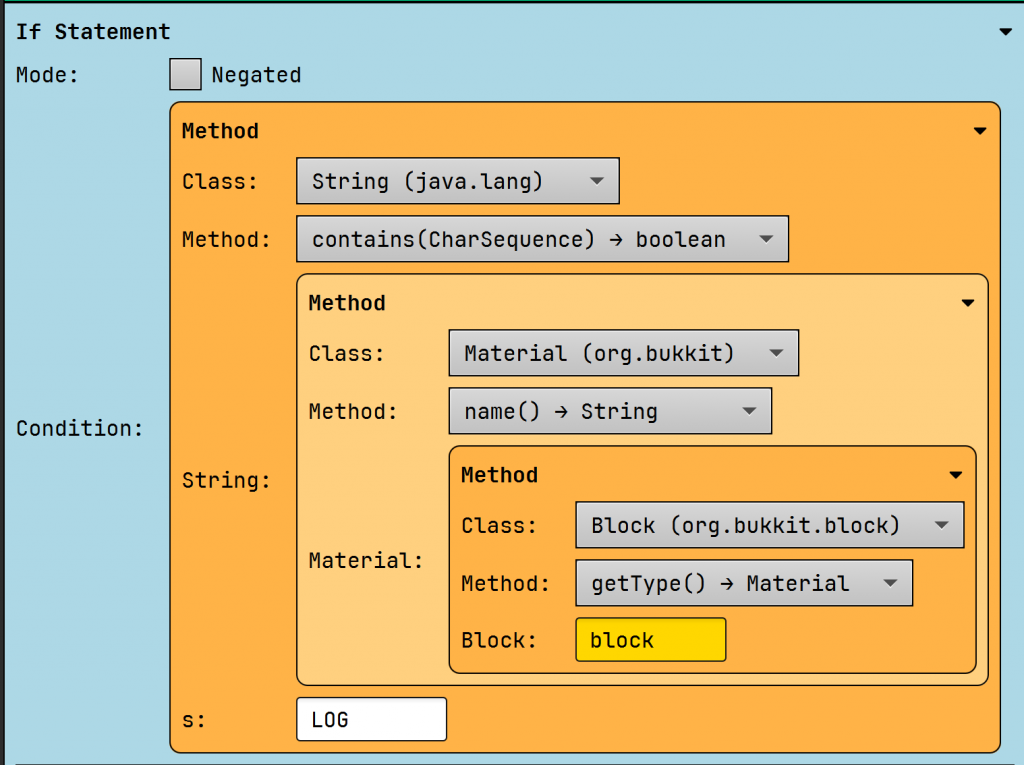
If the broken block contains the name “LOG,” we continue.
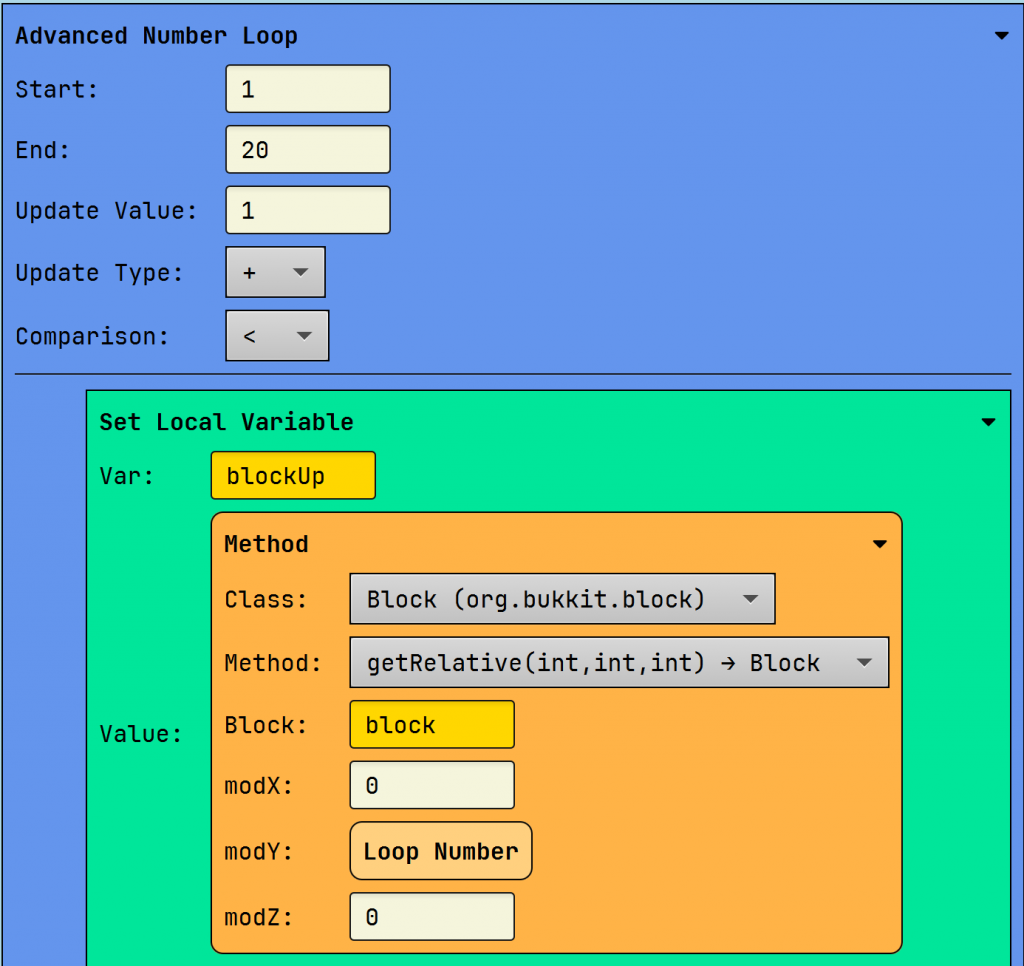
In this loop, we break 20 logs of the same type. We create a variable to retrieve the block above the broken one. We do this with the loop number, which increments by 1 until we reach 20.
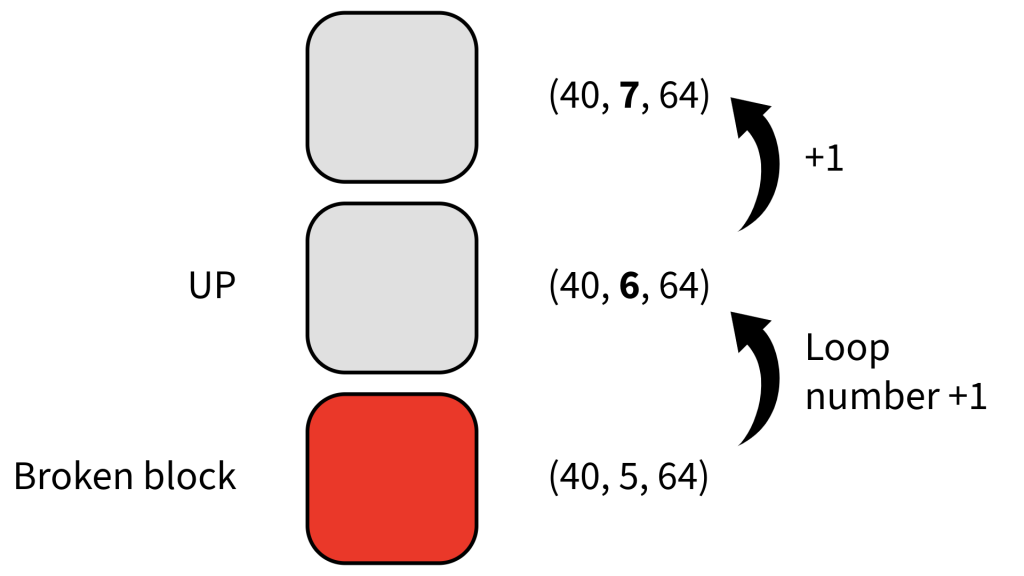
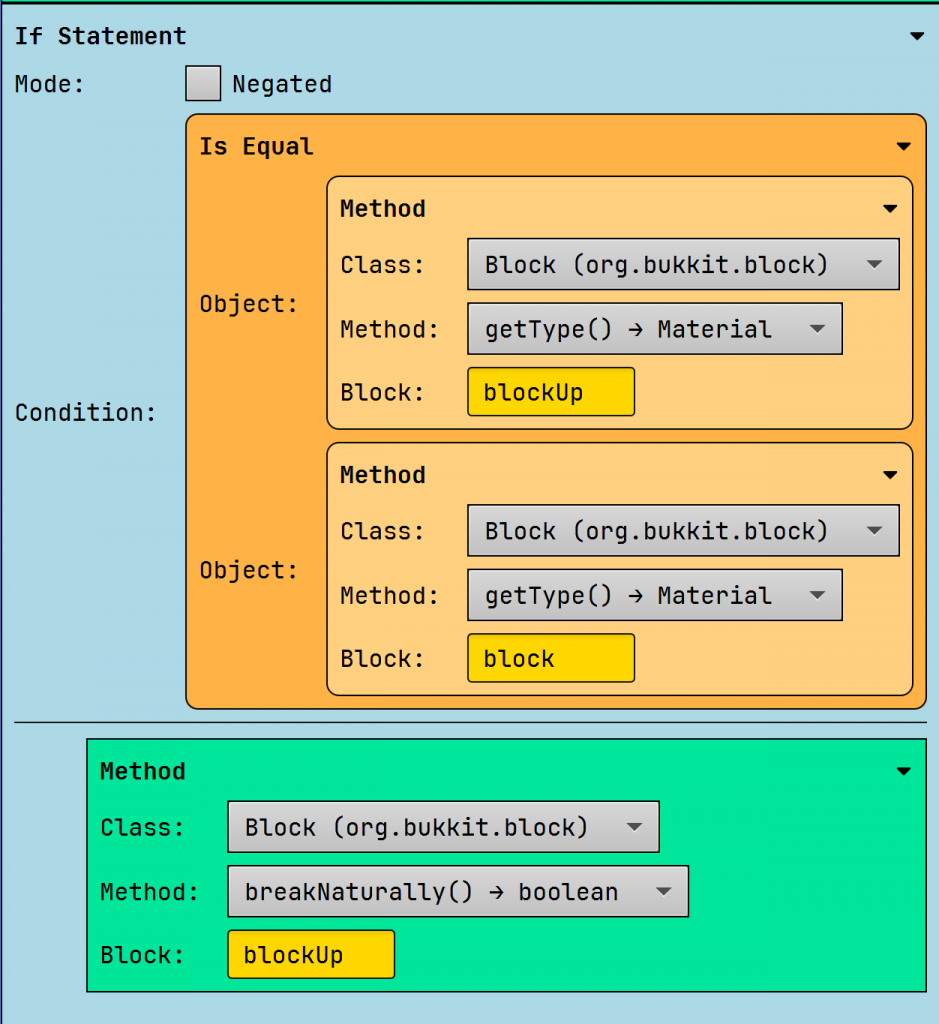
If the block above the broken one is of the same type, we break it naturally. This way, we don’t break any leaves.
Random Item Every Minute
Gives each player in your world a different item.
Note: This code snippet isn’t perfect because it gives players overpowered items.
How it functions
When the server starts, we start a task that runs every minute. We write 1200 because Minecraft uses ticks for time. Each second equals 20 ticks, so 60 seconds equals 1200.

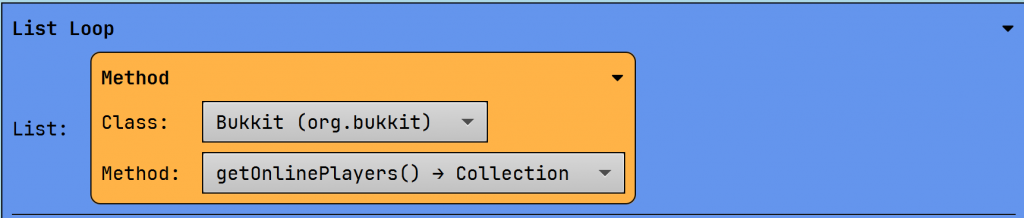
Within the loop, we loop through all online players. Each player is stored in a variable.
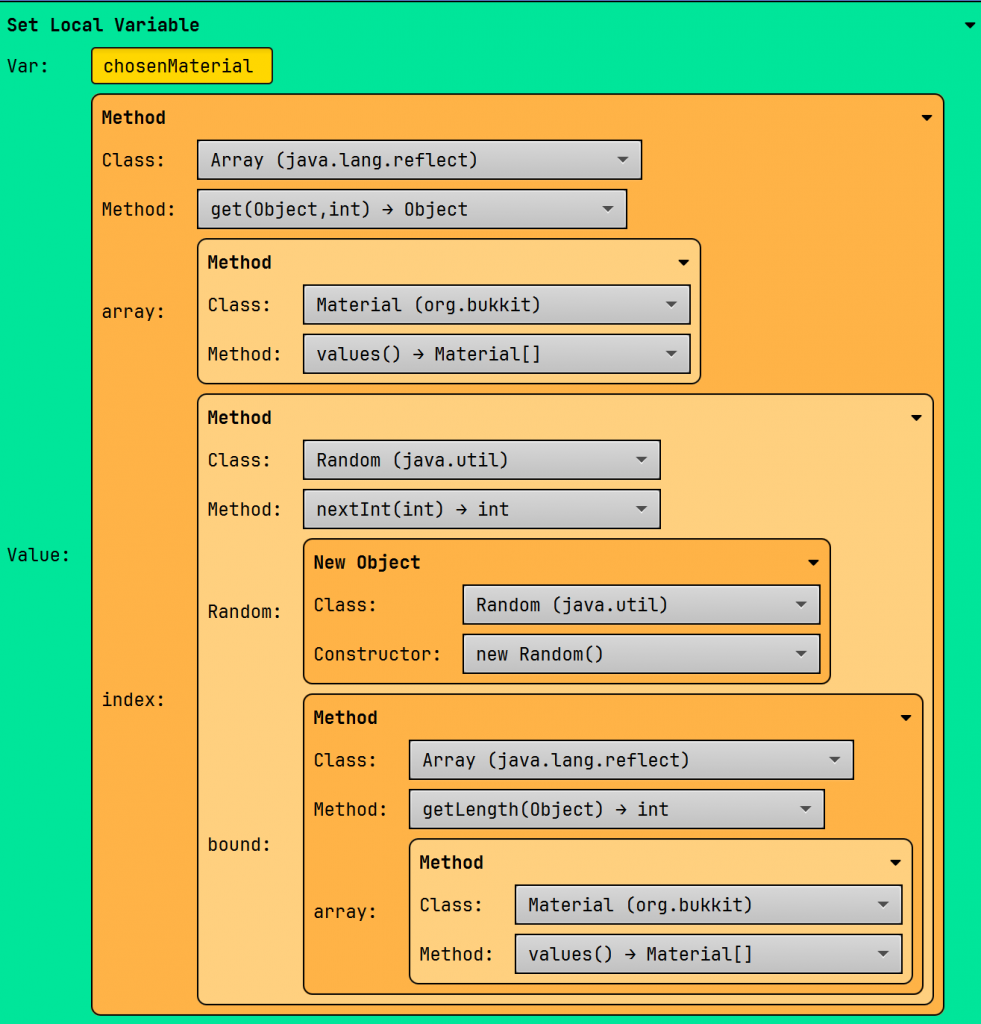
Next, we create a variable for a material. This variable contains a randomly selected value from the Materials array.
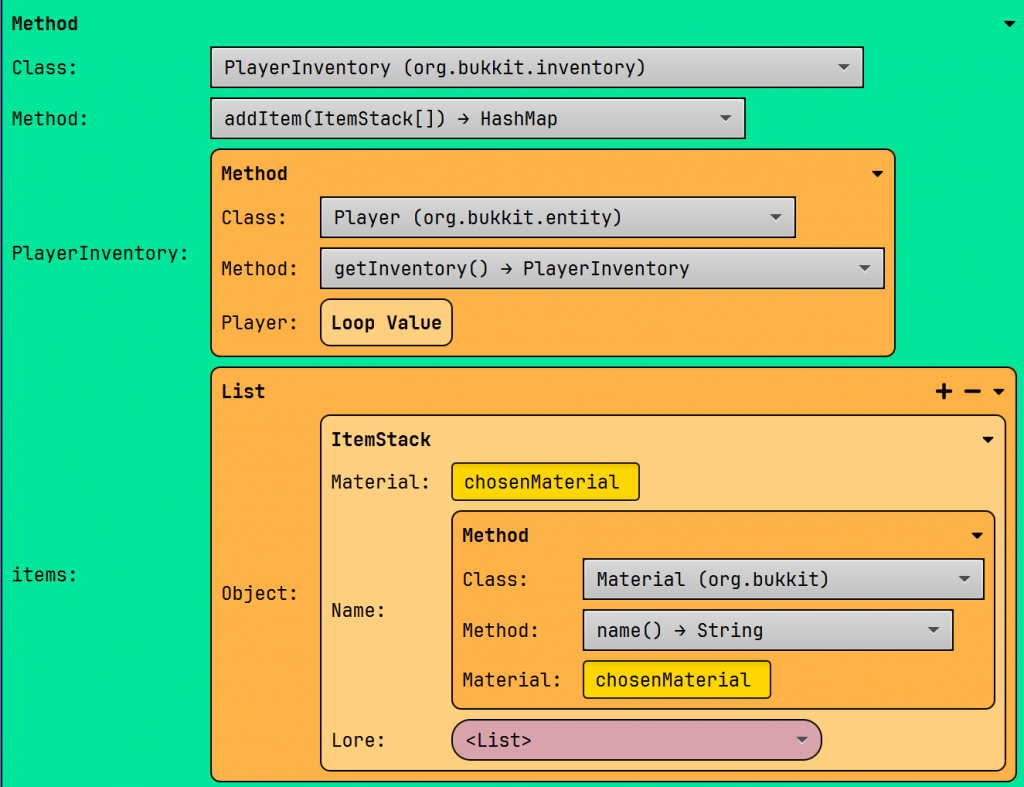
Once the value is selected, we retrieve the player’s inventory and add the new material to them.
Fire trail
Walking leaves fire behind!
The explanation
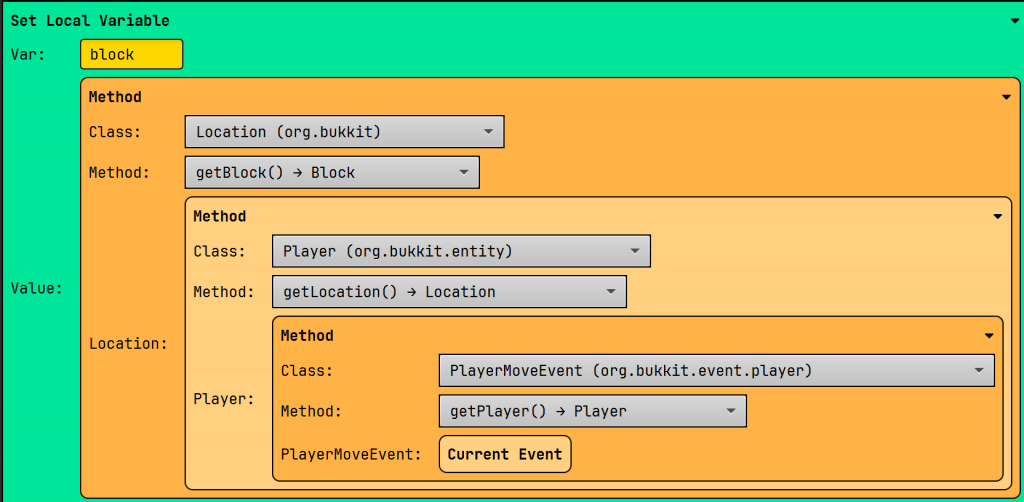
When a player walks, we execute the code. We store the block under the player.
Then we compare the type to AIR. If so, we set the block on fire.

Random Potion Effect
This plugin gives you a random potion effect every 10 seconds.
When the server starts, we create a list of our effects.
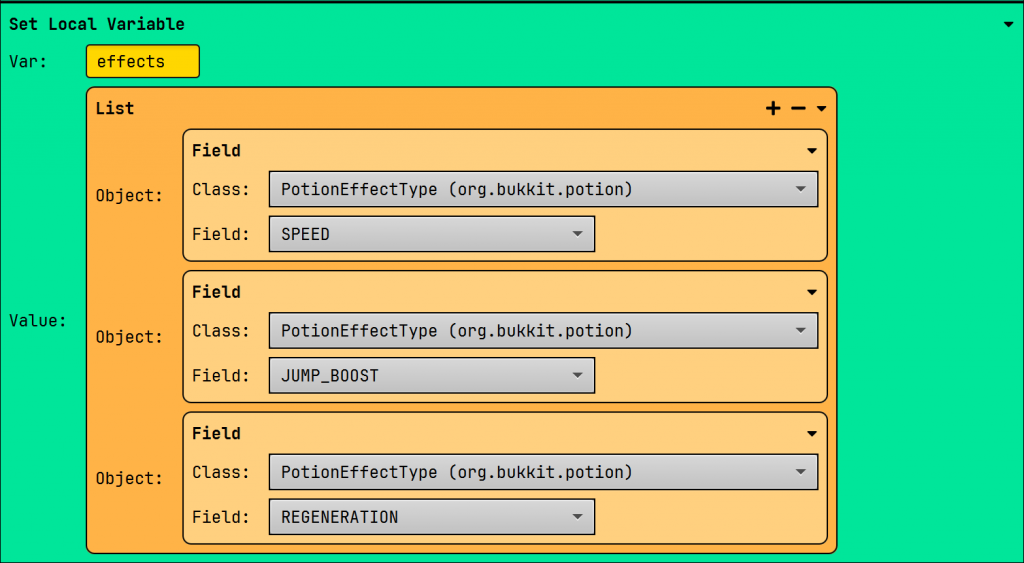
Then we repeat the same code every 10 seconds.

Within this, we loop through all online players.

If a player is found, we choose a potion from the list.
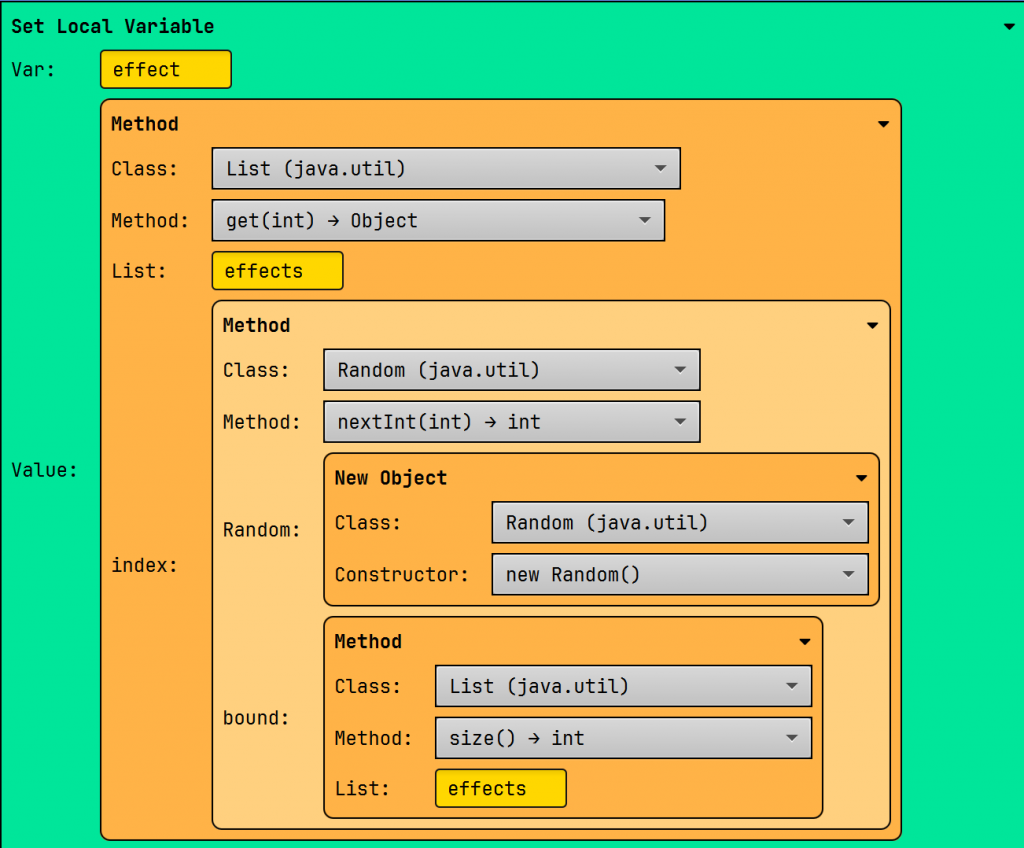
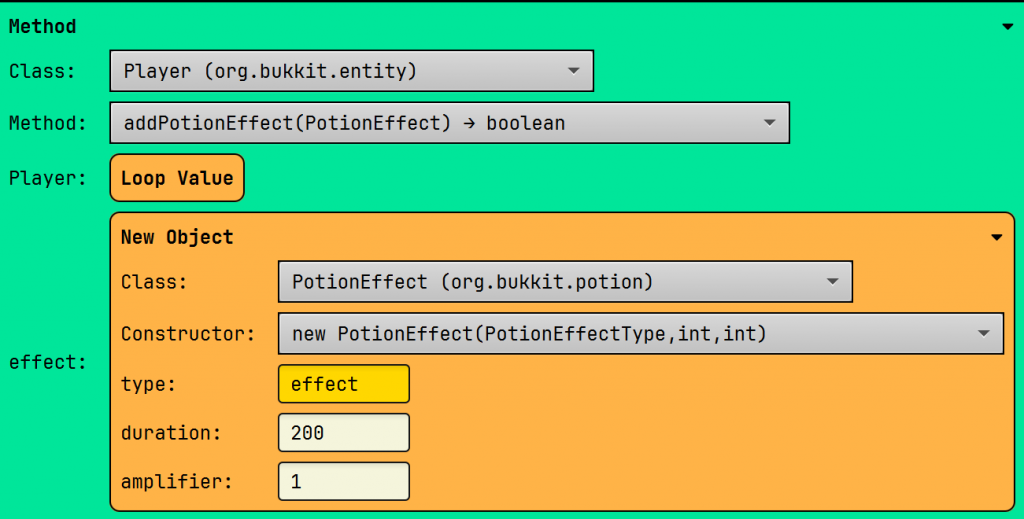
If we have a potion, we apply it to the player. I explained the new Object block here.
Leave a Reply