I’ve been using Visual Bukkit for the past few years to create small admin plugins for my Minecraft servers. Here are a few small examples!
Warning System
When executing the /warn <player> <reason> command, you can warn a specific player. After three warnings, that player will be banned.
First, we need to create a HashMap to store the warned players. If the warnList is unavailable (=null), we create the persistent variable.

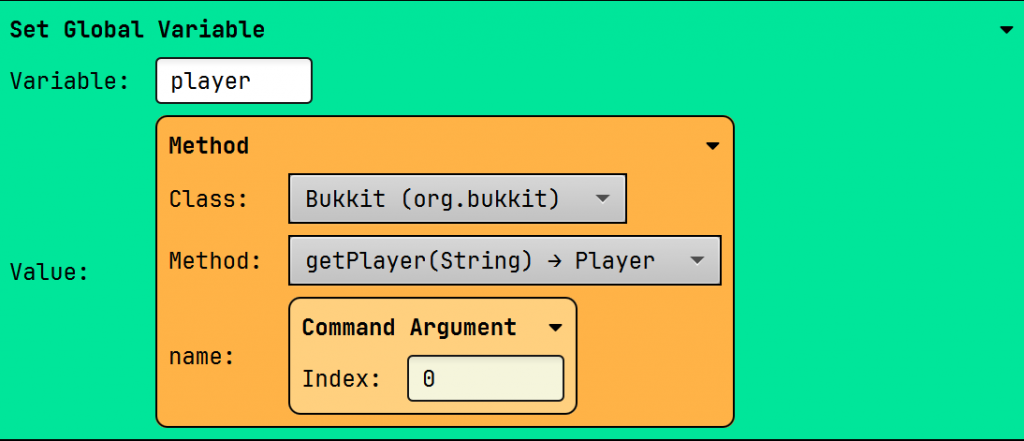
Next, we create a local variable to store the UUID of the warnedPlayer. Each player is identified by this ID, not by their username. The player’s name is the first argument of our list. The first argument is 0, as I explained in my video.

Next, we store the UUID as a string (text). We’ll need this multiple times in our code to retrieve data from the persistent variable. If we don’t do this, the UUID object will be stored in an unknown .yml format, resulting in loss of (persistent) data.

Our final variable contains the reason why we warned the player. This code seems complicated at first, but it’s actually quite simple.
First, we retrieve all the Command Arguments, which is a list.
Example:
The command /warn SemBL Ate All The Pudding
Results in: ["SemBL", "Ate", "All", "The", "Pudding"]
Therefore, we need to do two things:
- Convert the list to a string (Result: SemBL Ate All The Pudding)
- Remove the player’s name (Result: Ate All The Pudding)
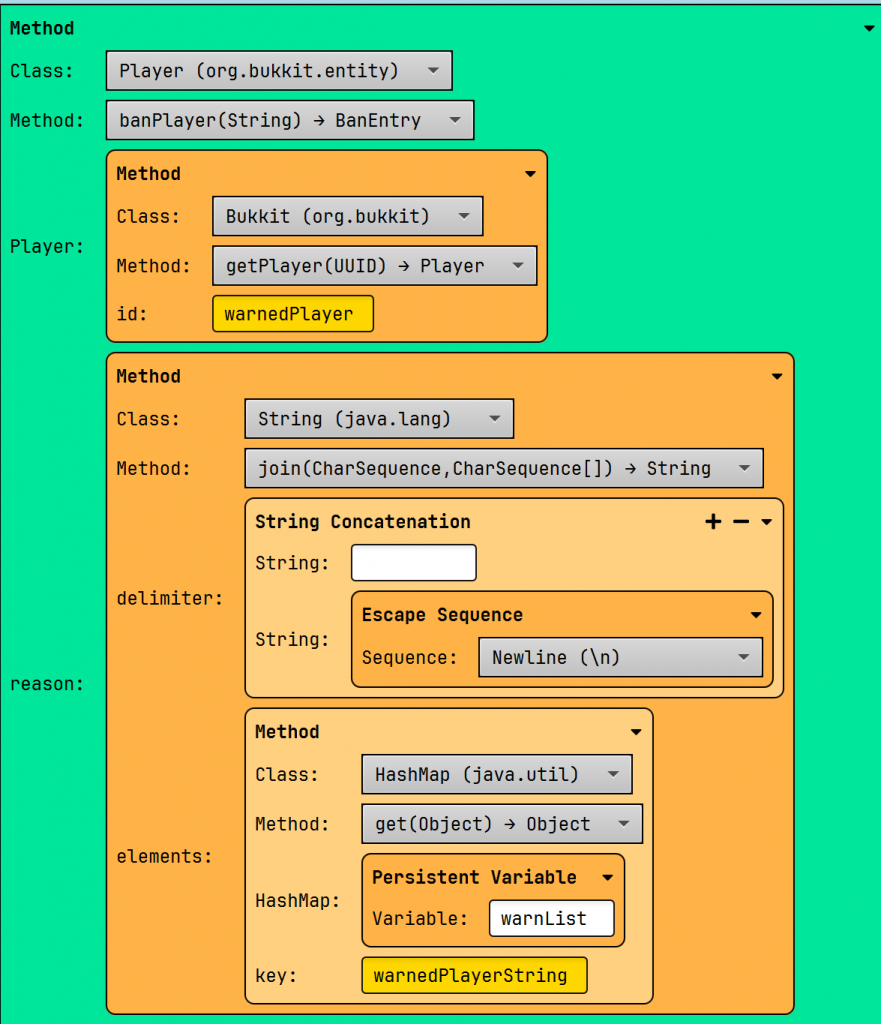
Converting the Command Arguments into a list is done with the join(delimiter, elements) method.
- Delimiter specifies the “filling”.
- Example: delimiter=+ results in SemBL+Ate+All+The+Pudding
- In our code, we want this to be a space!
- Elements are the list for the method
The second problem can be solved with the method substring(int). As the name suggests, this method takes a portion (sub) of the text (string) from a defined position/index (int).
The defined index is the length of the player’s name + 1 for the space.

Once all our variables are declared, we’ll move on to the logic of our code. It works like this:
If a player receives a warning for the first time, they won’t be in the list of warned players. Therefore, we need to add them..
Example:
{
"7604b258-99cf-4995-8511-a11f93494720": ["Ate All The Pudding"] //key: value
}When the naughty player receives their second warning, they are already on the warned list. Therefore, we need to add a new reason to the list of reasons.
{
"7604b258-99cf-4995-8511-a11f93494720": ["Ate All The Pudding", "Ate All The Pudding Again!!"] // [] = list
}In Visual Bukkit, this can be easily defined with an if-else statement.
If the HashMap contains the key from our warnedPlayerString (!), add the new warnMessage to the list, which is linked to the UUID of the warned player.

If the player isn’t in the HashMap warnList, then we should add him.

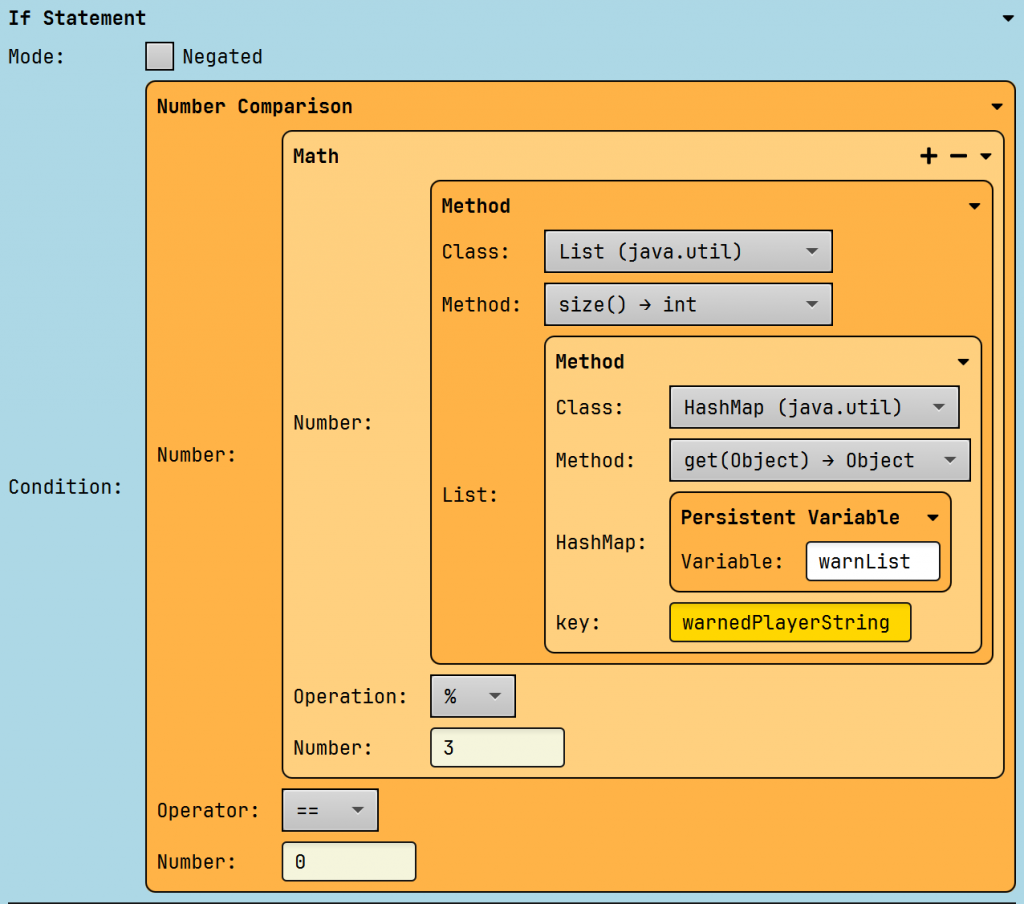
Once our list is updated, we need to check whether the player who received a warning should be penalized. A penalty occurs after every three warnings. We can check the number of warnings someone has received using the size() method.
For example: [“Hello”, “There”, “World!”] has a size of three because it has three elements.
Next, we check wethter the size of the list is a multiple of three. We do this with the modulo (%) operator. The modulo operator calculates the remainder of our division.
Examples:
- 1/3 (0.333…) gives 1
- 2/3 (0.666…) gives 2
- 3/3 (1) gives 0
- 20/3 gives 2
- 21/3 gives 0
If the remainder of our division is 0, then the player should be penalized.
We punish the player with a ban. We also include all the reasons for the ban. We’ve stored the warnMessages in the HashMap as a list ([…]), which doesn’t look very nice. As above, we convert this list to text. Each warnMessage gets a new line (enter), so they don’t all appear consecutively.
Example:
- With Newline:
- Ate All The Pudding
- Ate All the Pudding Again!
- Without NewLine
- Ate All The Pudding Ate All The Pudding Again!
Inventory See
View a specific player’s inventory!
I’ve made two versions of this plugin to demonstrate the normal and GUI way. The first one is the simplest one and can be imported as a component, the other as a project.
You’ll need to use the GUI module and import it as a project!
The logic
First of all, we will save the player globally, so that we can use it in the GUI module.
Next, we check if the player is online. We can’t look up an offline player’s inventory. We do this by retrieving all online players and checking if our player’s name appears in them.

If so, open the GUI. Otherwise, send a warning message to the command sender.

The GUI
Now, onto the GUI! Here we’ll specify the name of the GUI (“Inv. of ” + “PlayerName”) and its size. Make sure to check “Recreate when opened”.

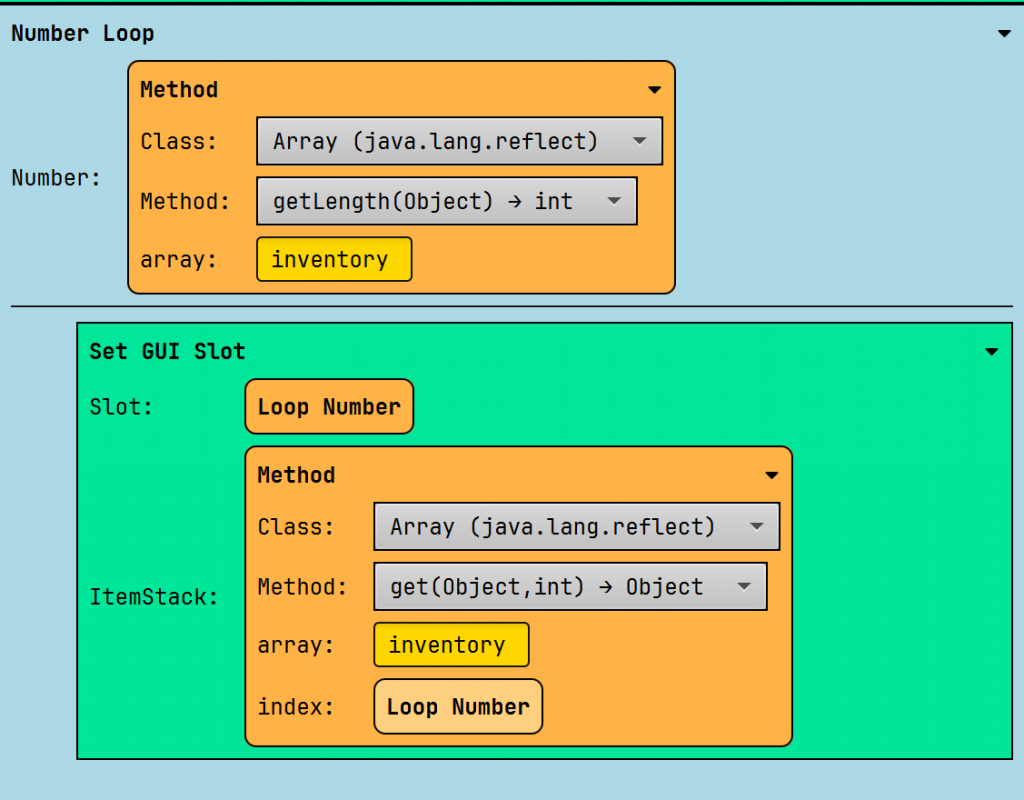
Next, we store his inventory in a local variable, since we only need it in this component.

Afterwards, we go through all the items of the inventory and place them in the GUI.
Vanish
Makes you invisible for players. Import it as a project!
First, we’ll create a global variable to store all missing players in a list, in case they’re not found.

Next, we check if the command sender is already in the list. If so, we loop through all online players and display the command sender. Note that we’re working with their UUID, as player names can change over time.


Next, we remove the command sender from the list of vanished players.

If the player is not inside the list of vanished players, we’ll hide him from all the online players and add him to the list of vanished players.

You might realize this logic has a problem:
- Player 1 (Command Sender) and player 2 join
- Command Sender uses /vanish
- Player 1 is hidden from player 2
- Player 3 joins
- Player 1 is not hidden from player 3!
Therefore, we need to use a PlayerJoinEvent that mitigates this problem.
Firstly, we check if the vanished list exists. If that’s the case, we’ll loop through all the players in the vanished list.

Afterwards, we make the command sender invisible for the joining player.

There’s still one problem, though.
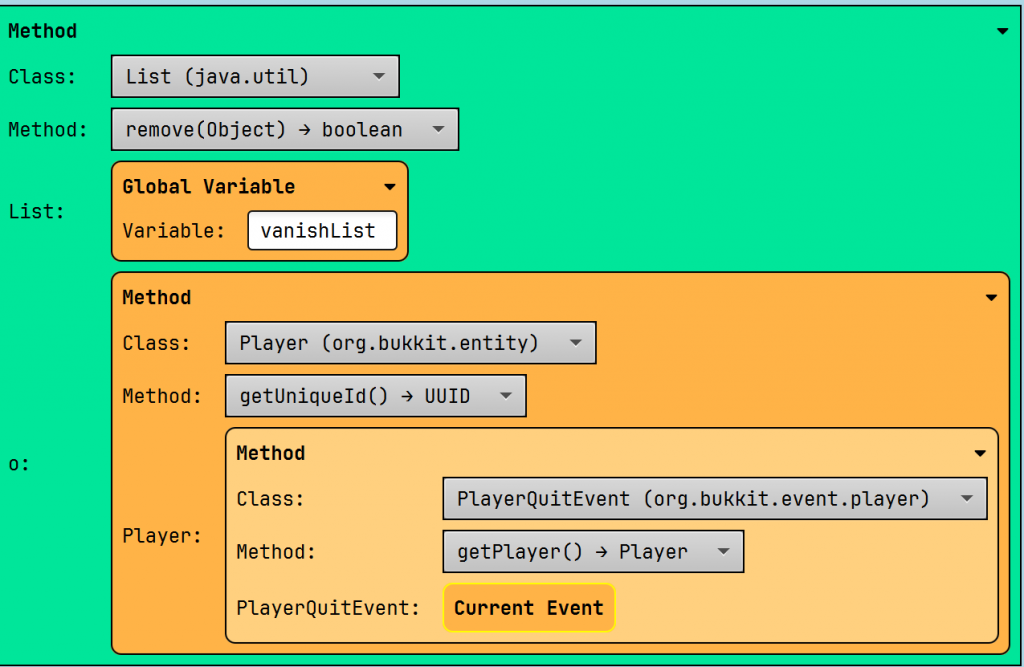
If the command sender leaves, he’ll still remain in the list of vanished players! This can be fixedwith the PlayerQuitEvent.
If the list of vanished players exists, we’ll remove him from it.
Leave a Reply