I’ve found that a lot of people in the Visual Bukkit Discord server often had the same problems towards small, but common, parts of their code. That’s why I’ve made this post!vi
Player
Players are the heart of your Minecraft Server, but how can we use them in our code?
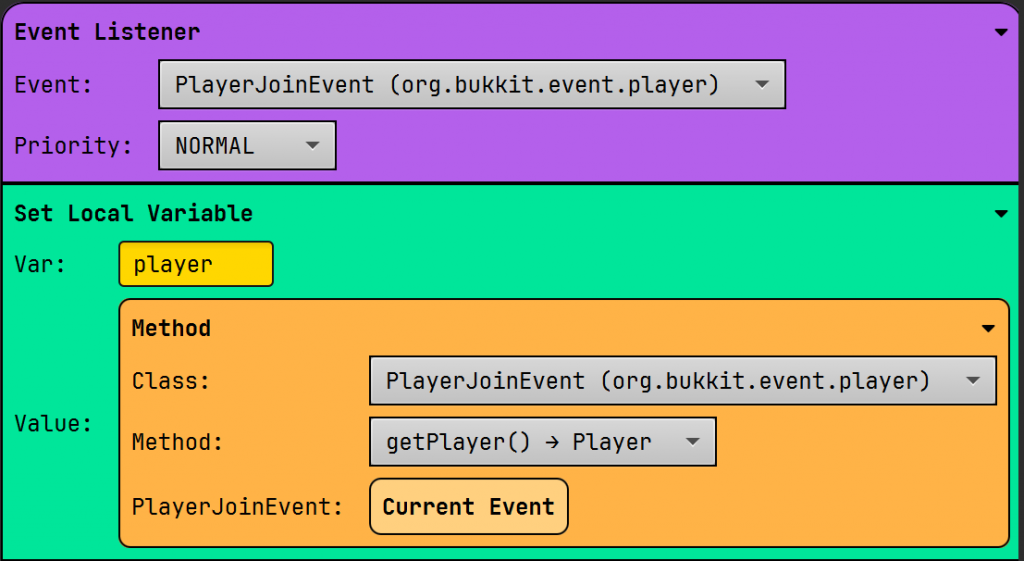
1. Get Player from Event
To get a player from an event (PlayerJoinEvent, PlayerBedEnterEvent…), we use the method from the same event.
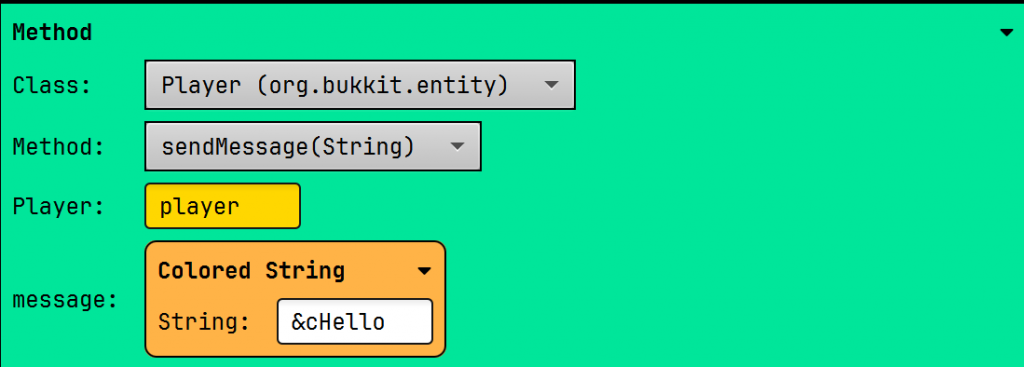
2. Send Colored Message
You can send a player a colored message using the sendMessage(String) method combined with the Colored String block. Color codes can be found here.
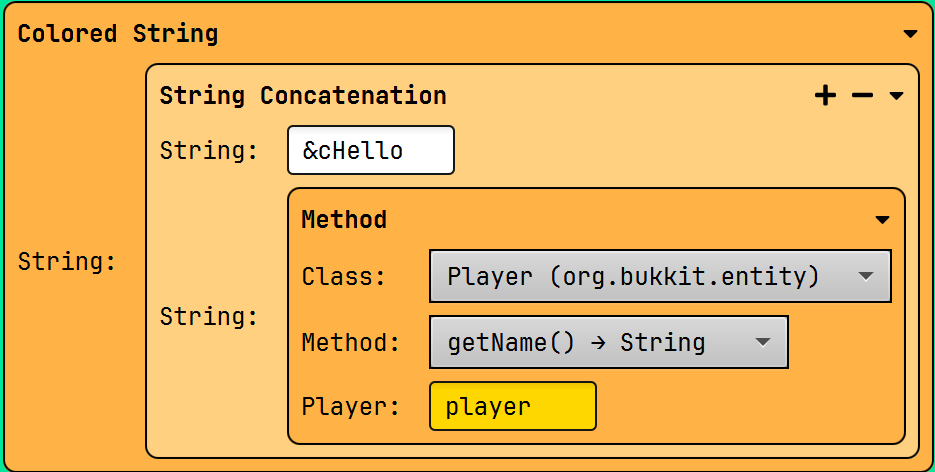
3. Get the player’s name
You are able to get the player’s name by using the getName method.
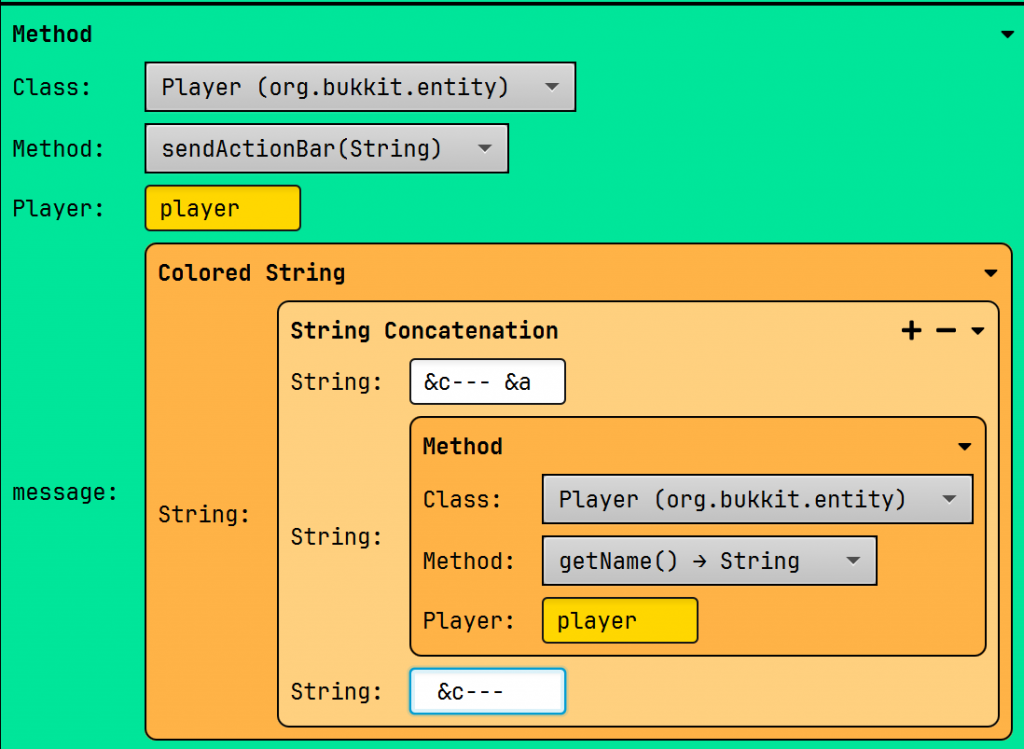
4. Send Action Bar
An Action Bar is visible above the hotbar of the player. It’s useful for announcing something small to a player.
5. Teleport Player
Teleport a player to 0, 0, 0 in a his world (overworld, nether…).

6. Heal Player
Heal the player… or kill him… (health: 0)!

7. Feed Player
Set the player’s hunger at 20.

8. Give Player an Item
Give the player a diamond. Giving something is done with an itemstack.

9. Check Player Permission
Check if the player has the permission to run a specific command.

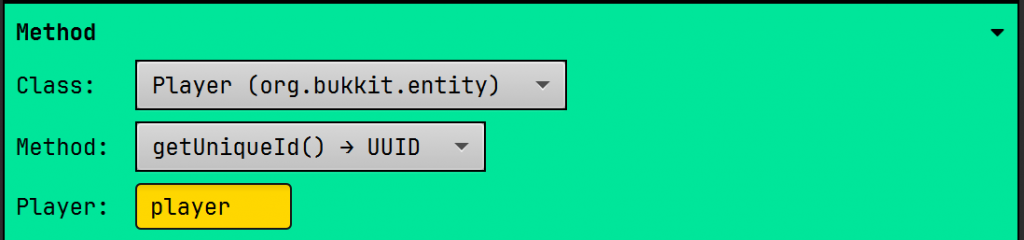
10. Get Player UUID
Get the player’s UUID. You should always use the UUID to identify a player, since the UUID doesn’t change, while the player’s name can.
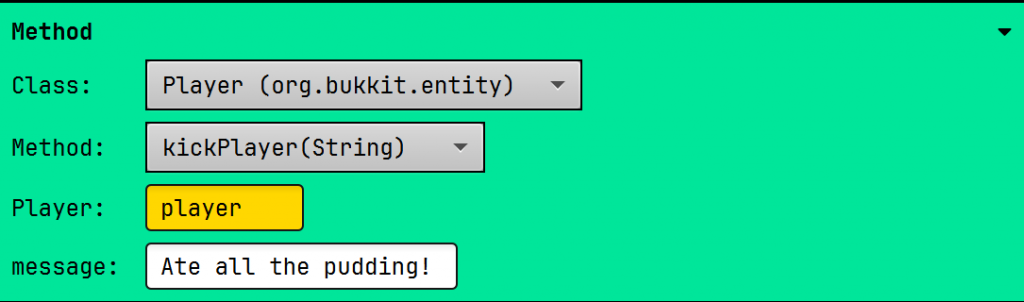
11. Kick a player
Kicks a player from your server.
Block Snippets
12. Get Broken Block
Just like we can get a player when he joins, so can we with a block.

13. Get Block Type
Gets the type of block that has been broken.

14. Replace Block
Replace the broken block with a gold block.

15. Get Block Location
Get the location of the broken block.

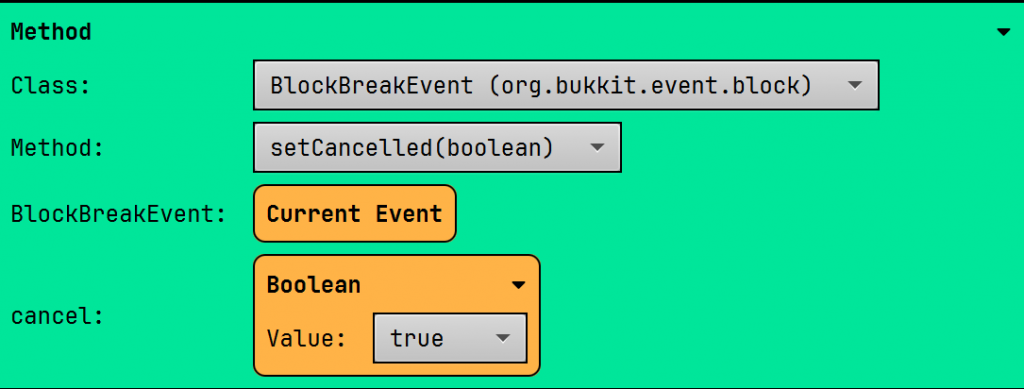
16. Cancel Block Break
Cancel the break event.
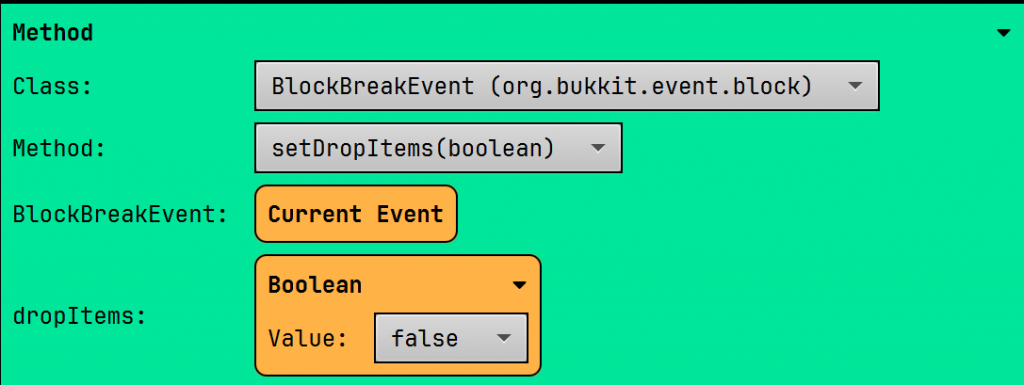
17. Prevent Drops
Disallow blocks to drop items.
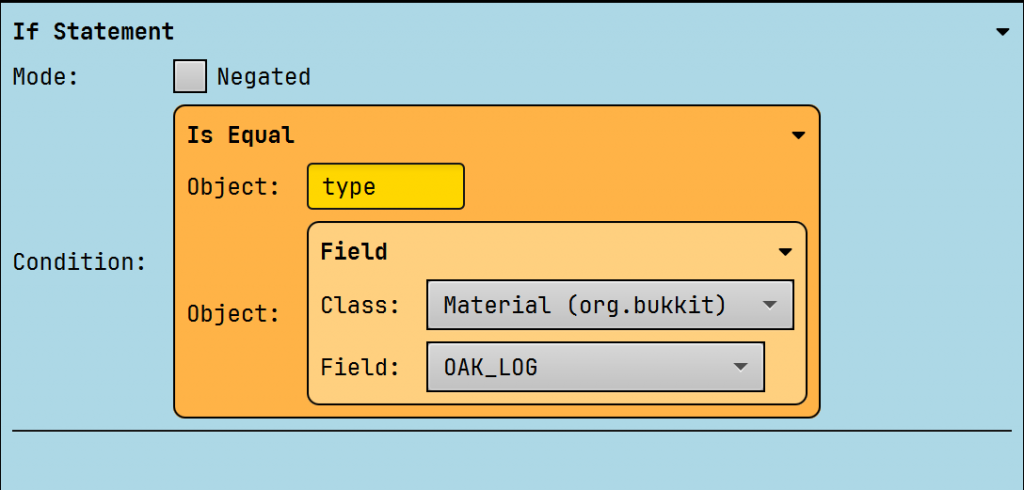
18. Check Block Type
Compare the broken block to an oak log.
World Snippets
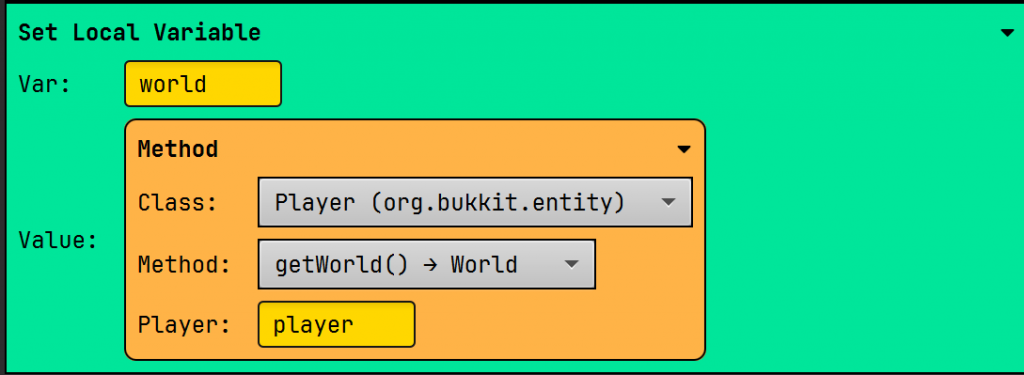
19. Get World
Get the world where the player is.
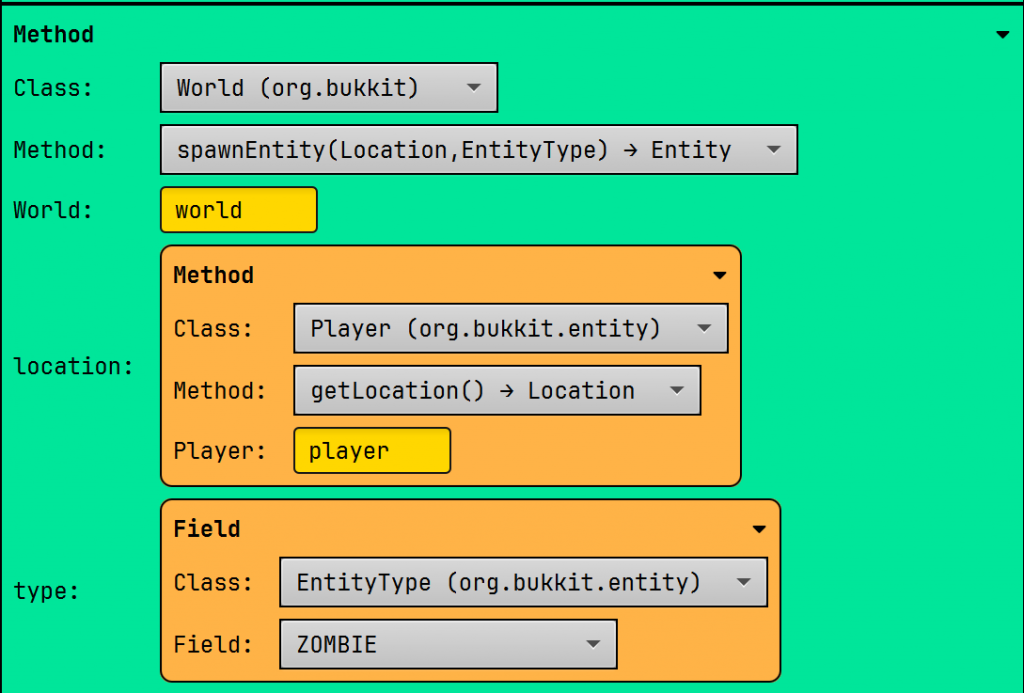
20. Spawn Entity
Spawn a zombie near a player.
21. Strike Lightning
Kill/damage a player using lightning.

22. Spawn Particle
Spawns 10 flame particles at the player’s location.

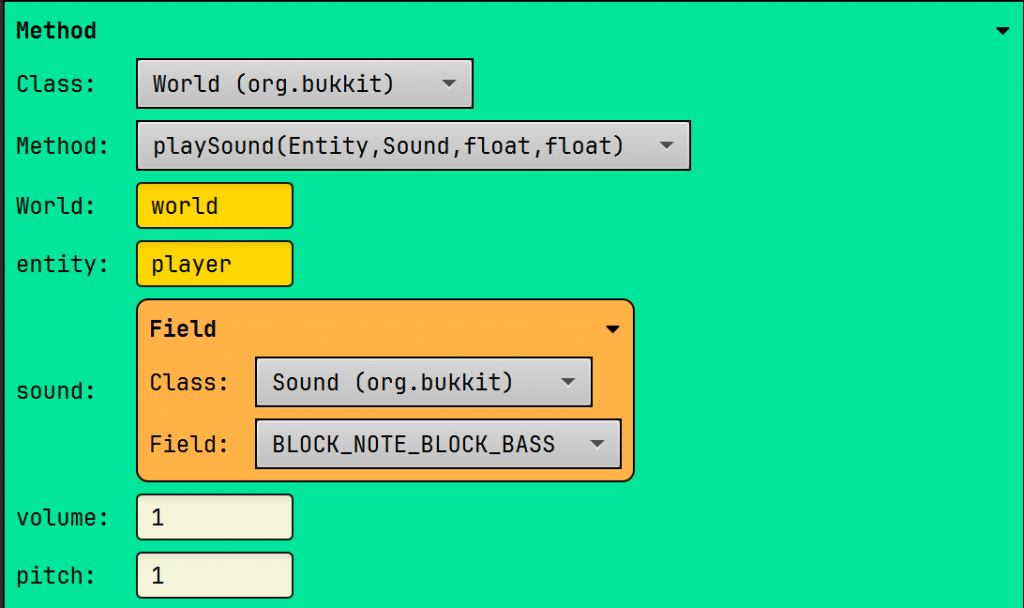
23. Play Sound
Plays a sound in the world at a player’s location.
24. Get all online players
Returns (gives) a list of all the online players. Incredibly useful for doing something for every player.

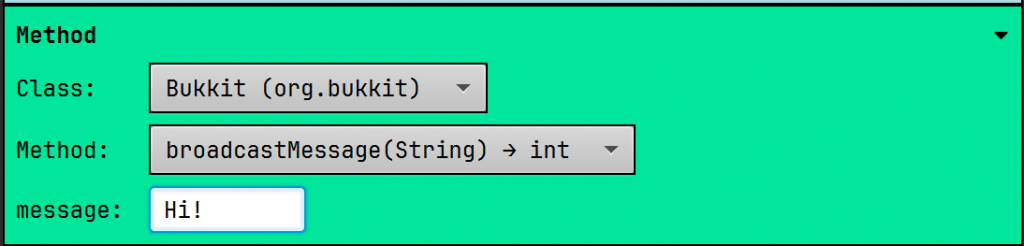
25. Send Message to all Players
The broadcast method sends a message to all players in your world.
Console
26. Create the logger
Creates the logger for future logs to the server.

27. Send Info to Console
Sends info to the console.

28. Send Warning to Console
Sends a warning to the console.

29. Send a Severe Warning to Console
Sends a severe warning to the console.

Results:

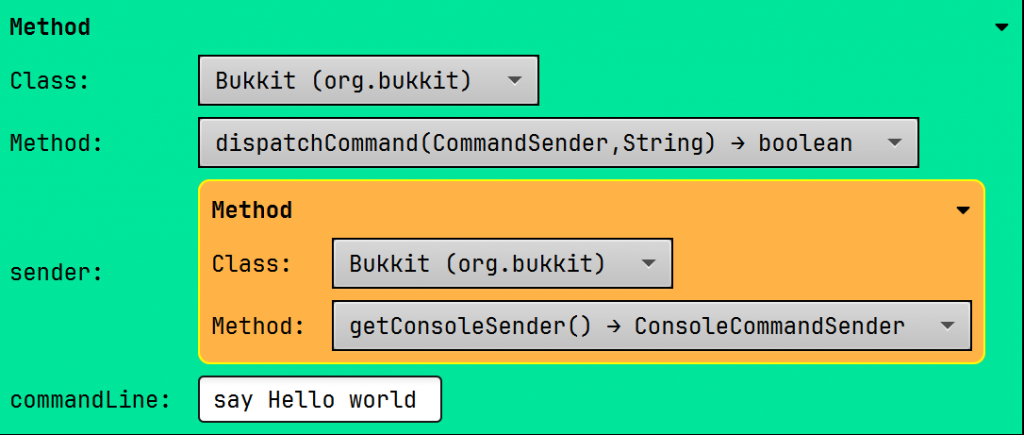
30. Execute a Command as Console
This allows you to execute a command internally in your server. Useful if you want to combine your plugin with another plugin that doesn’t have an API.
Leave a Reply